Metro Station Converter
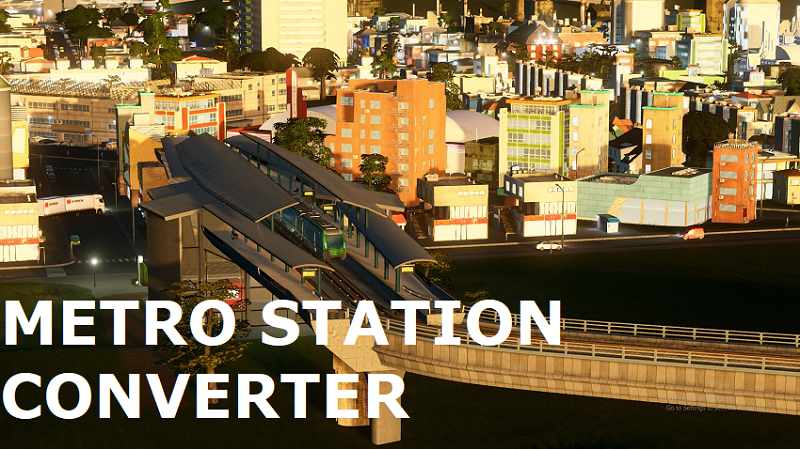

Because this mod uses vanilla metro system, no dedicated depots are required. The trains will spawn directly at stations.
If you already used the stations this mod converts in your cities, you have to re-build them so that they start functioning as proper metro stations.
I highly recommend using this mod together with my Train Converter which converts trains into metros.
PLEASE. READ THE FOLLOWING DESCRIPTION CAREFULLY! 🙂
This mod requires Prefab Hook to function.
If a station has my Extra Train Station Tracks ( ETST ) mod as the dependency, you still need that mod for the stations to load properly, but in the game they will not use ETST tracks, but the vanilla metro tracks instead (just as the vanilla metro stations).
The mod comes with tons of preset stations to convert. Two of them, Joak’s Train Station (4 tracks) by Polygon and Industrial Elevated Station by BadPeanut you can see on the screenshots above in their converted forms. The full list of the stock conversions can be found here.
All assets are spread into 3 large groups – modern, old-style and ‘tram’ (pre-Snowfall) stations and those groups can be enabled/disabled through mod’s optons. You can also open this mod’s config file ( %LocalAppData%Colossal OrderCities_SkylinesMetroStationConverter-Config.xml ) and add exclude="true" to assets you don’t want to be converted. Example of excluded asset item:
<items workshop-id="563062277" description="Glass Terminus Station" exclude="true" />
You can also add your own conversions by adding the above line to some asset group (without exclude="true" of course). Make sure you added line to correct asset group (like <modern-stations-to-metro-station>) and that group is enabled in mod’s options. Each asset can only be present in one group. Please make sure it’s not already present in a different group before adding it (it it’s present just move it from one group to another).
The mod will generate the config file on first launch (getting to main menu should be enough for that). If you edited the config while the Cities: Skylines was running you will have to restart the game. If you screwed your config, delete it and the game will restore defaults. I might add more assets to default config later but they won’t be added to existing configs.
How to use:
– Install Prefab Hook
– Install Metro Station Converter
– Enable Prefab Hook in Content Manager
– Enable Metro Station Converter in Content Manager
– Check the mod’s option entry to make sure all options are enabled/disabled to your liking
Save games:
– This mod doesn’t save any custom data and shouldn’t break save files. But you should be aware that conversions will revert back without this mod which can lead to funny results. As usual, backup your city before experimenting with this mod.
Feel free to comment
Note: if you have any errors/exceptions, please, don’t paste them or output_log.txt into comments. Use pastebin, dropbox or whatever.
Become a patron [www.patreon.com]
or donate in PayPal [www.paypal.com]
You don’t have a PayPal account? You can use link in ‘Don’t have a PayPal account?’ section at the bottom of donation page to donate using your credit card information.


