Airport Light Networks
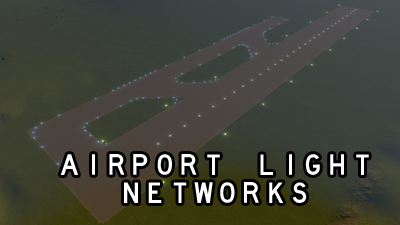
These are empty decorative pedestrian paths (without a pedestrian lane) which contain airport light props at specific intervals. Since lane props do not count towards the overall city prop count, these networks can help reduce the prop overhead for lighting a custom airport.
Since these networks contain no geometry other than props, their performance overhead should be identical to placing the same props using the prop-line-tool.
All of the assets can be found in the same menu as the pedestrian path, and are named LightNet_<name>, where <name> is listed below.
- Runway – a white runway edge light. Spaced 64m apart (actual spacing is 60m)
- RunwayPV – a pavement level runway edge light. These are used in cases where there may be taxiway at the location which should contain an edge light.
- RunwayPVCenter – a pavement level runway centerline light. Spaced 16m apart (actual spacing is 15m).
- RunwayYR – Yellow-Red edge lights for displaced thresholds, same spacing as runway edge lights.
- RunwayYW – Yellow-White edge lights to denote the last of the runway, same spacing as runway edge lights.
- TaxiwayClose – Closely packed taxiway edge lights for corners and areas that require high attention. Spaced 8m apart (actual spacing is between 8-15m).
- TaxiwayMed – Medium spaced taxiway edge lights for large sweeping curves (outer edges). Spaced at 16m.
- TaxiwayFar – Far spaced taxiway edge lights for long straight sections of taxiway. Spaced at 24m (actual spacing is 30m).
- TaxiwayPVClose – Same as above, except for in pavement style for edges which boarder ramps or crossable lines.
- TaxiwayPVMed – Same as above.
- TaxiwayPVFar – Same as above.
Note: Unfortunately the game seems to require props to be placed in intervals of 8m, so the spacing in the lanes are not 100% accurate, though they are visually close.
– Since these assets are network segments, they will want to snap to everything. As such, they are very fiddly, and I highly recommend using: Fine Road Anarchy, Prop Anarchy, MoveIt, and prop snapping. Note that collisions have been disabled for these assets, however, other network segments (such as taxiways) may end up deleting these lines.
– I found that an efficient way to place these is to lay the segments out in the grass next to the taxiway (using straight segments), and then move them into position / adjust the control points to form curves using MoveIt.
– All of these segments can snap to each other, allowing them to auto-space. This is especially handy when doing taxiway edge lines and runway edge lines.
– Since these are network segments, you can use the junction trim trick that works with roads to split, add new nodes, and trim / cut parts of segments.
– Unfortunately, trimming a runway edge line will result in one side no longer being correctly spaced / aligned, so you will have to trim them either at the original full-length nodes.
– There is a bug with the yellow-red edge lights, where some of them only display the yellow light. For this reason, I would recommend placing those manually as props, however, you can use the network to help you space the lights consistently.
Required items:
Click the title to search on this site.
Airport Runway Light Pack — Steam Workshop
Basic Airport Road Light Pack — Steam Workshop
Custom Light Effects — Steam Workshop


