Monotube Gantry Network
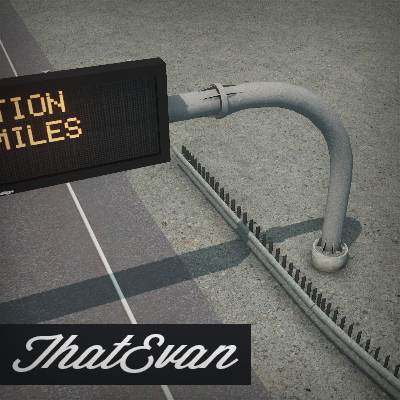
PLEASE READ THE FULL DESCRIPTION AND SUBSCRIBE TO ALL REQUIRED ITEMS
Monotube Gantry Network
in-game name: monotube gantry
This is a "draggable" network! You will need to subscribe to Network Tiling in order to let the textures tile in-game. I highly advise that you use the popular mod Find It to easily search for the network. I am not sure what tab the network appears in the vanilla game so please do not ask. Placing the network may be difficult; so please use Move It to adjust the final position. The nodes of the network are NOT at the end of the visual network, refer to the screenshot above depicting the node placement. Furthermore, due to the network being height flexible; concrete footer props are separate from thr network. Search using Find it for the "monotube footer" prop. Thanks for reading!
My Workshop: Click Here
(Steam profile set to friends only)
Name – monotube-end
Model – 300
LOD – 124
Diffuse – 512 x 512
LOD Diffuse – 256 x 256
Name – monotube-seg
Model – 160
LOD – 40
Diffuse – 512 x 256
LOD Diffuse – 256 x 128
Name – monotube-footer
Model – 240
LOD – 19
Diffuse – 512 x 512
LOD Diffuse – 256 x 256
https://www.codot.gov/library/traffic/traffic-standards/2006-traffic-s-standard-plans/S-614-50-overhead-signs-monotube/S-614-50%20%2814%20Page%20Set%29.pdf
http://s-steel.com/monotube-structures/
http://s-steel.com/overhead-sign-structures/
http://www.wsdot.wa.gov/publications/manuals/fulltext/M23-50/Chapter10.pdf
 [www.paypal.me]
Prop and Tree Anarchy
Move it!
Find it! More Beautification Prop Line Tool
Special Thanks to Badi_Dea for help with network tiling and lane props
Tags: Highway signs / highway gantry / highway sign post / monotube gantry / gantry / steel pole / overhead sign / freeway / thatevan
Required items:
Click the title to search on this site.
Network Tiling — Steam Workshop
Find It! — Steam Workshop
Ability to Read — Steam Workshop
Concrete Footers — Steam Workshop


