Lough Lorgain with optional Irish custom terrain
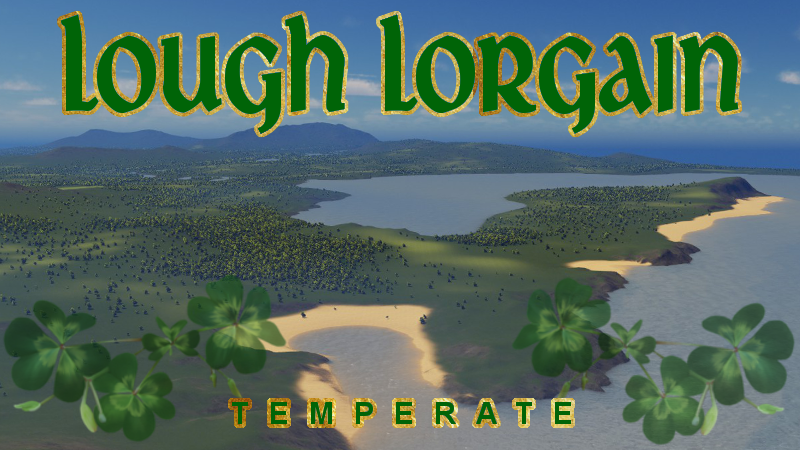
A tip of the hat to New Caledonia, this fantasy Irish map in a temperate biome has some similar features in N.C. and some new things, too. The images show optional new custom Irish terrain for temperate maps which make the vanilla cliffsides, oil and ore less ugly, and the greens a deeper Irish tone. Instructions below
Lough Lorgain (Lake by the long ridge). Plenty of space to stretch your legs, endless shores, both beaches and bayside, surround this beautiful peninsula which features a soft, very Irish looking ridge which offers a nice backdrop to the wide areas of playable area. The start square has a winding river that runs right through it. Multiple water spawns ensure a controlled water level along the river as it goes downhill ever so slightly.
The Lough (lake) upstream from downtown has a full power water spawn, to ensure your growing city has plenty of water. There are also water spawns out in the bay and oceans to facilitate water flow
Shorelines are carefully composed (very flat beaches, very smooth and slight riverbanks, tasteful hills and little formations that drop to beaches just like you see in Ireland)
Full connections, and the shipping lane that goes into the largest bay is dead center of the water, so if you terraform you will have lots of room to build harbors on either side of the bay.
—————————————————————————————-
Optional Terrain Texture Changer Mod Instructions:
Download the textures and be sure to name each with their file name listed:
oil_texture http://imgur.com/OxTvf6t
ore_texture http://imgur.com/7uHCG6X
cliff_texture http://imgur.com/vuju8lY
grass_texture http://imgur.com/mxDH2UB
gravel_texture http://imgur.com/VtcuQgD
pavement_texture http://imgur.com/BkO1PU4
ruined_texture http://imgur.com/vuju8lY
sand_texture http://imgur.com/5xgf2qO
In order to go back to the regular colors, all you have to do is move them out of this folder and reload the map or savegame.
1. Subscribe to the TerrainTextureReplacer mod http://steamcommunity.com/workshop/filedetails/?id=416966387
2. Create a new folder at this location C:UsersYOUR NAME HEREAppDataLocalColossal OrderCities_SkylinesAddonsModsTerrainTextureReplacer. You will have to create this folder yourself within the existing Mods folder, be sure it is named TerrainTextureReplacer. Place the textures you downloaded previously in this folder. Whatever terrain images/colors you wish to replace, put a copy of them here. If you only want to change one (like sand into snow), you can put just one. Whatever is not in this folder will display the default terrain colors. (If you don’t put a cliff_texture in here, it will show the original cliff colors).
Fire up the game, turn on the mod from the Main Menu and start a new game with the map! Before opening another map, you can always turn the mod off to turn off the terrain changer, or move them to a separate storage folder to use different custom textures. Very easy!


